
CRM automation
CRM automation
Deal rules, notifications, and webhook events: less manual routine, more predictable “if X happens — do Y” flows.
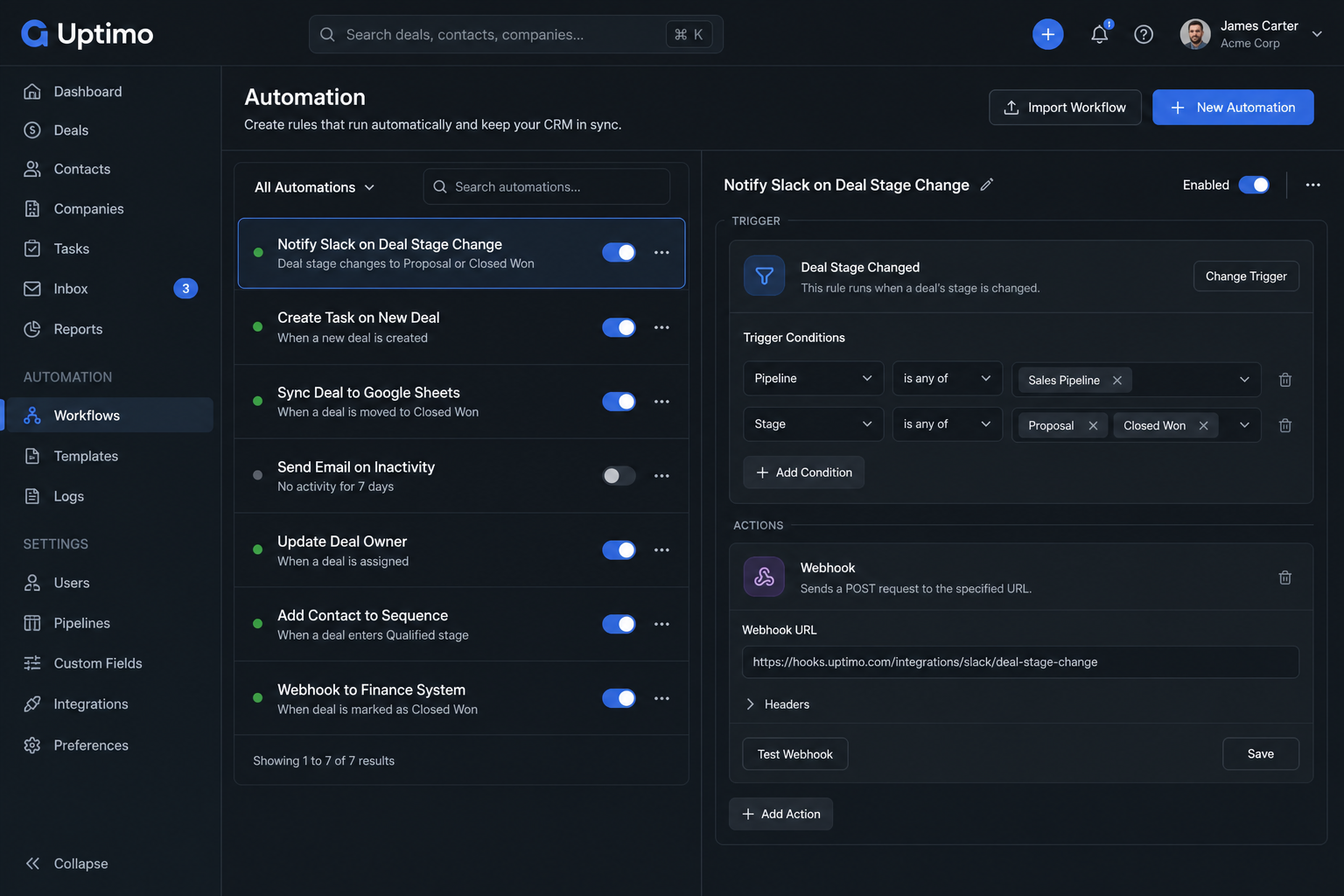
Less manual work — fewer mistakes
Reps spend time moving statuses, sending reminders, and creating tasks. Automations run repeatable steps by rule.
That improves stage conversion and reduces reliance on heroic manual effort.
Webhooks and external systems
CRM events can feed billing, warehouse, or support tools — event-driven links reduce manual shuttling between systems.
URLs, signatures, and limits — see the documentation.
Typical rollout
Examples: remind a rep on stage change, assign a task, notify email or Telegram, push data to another system.
Start with one or two rules and measure fewer misses and forgotten tasks — that alone often pays back setup time.
Before and after: less manual CRM routine
| Before | After with Uptimo |
|---|---|
| Reps move statuses and set reminders by hand | Rules fire on deal events |
| Integrations via exports and workarounds | Webhooks push events to external services you configure |
| Forgotten next steps after a stage changes | Notifications and tasks from automation scenarios |
| Debugging integrations blindly | Webhook logs help trace failures on the consumer side (per plan capabilities) |
Typical automation outcomes
- Fewer manual status flips and “remind me tomorrow” messages in private chats.
- Predictable system reactions to events — less human error on repetitive work.
- Integration readiness: events can reach external services via webhook.
Scenario complexity and available actions depend on product version and plan; start with simple rules.
Приведите продажи, задачи и процессы в порядок

CRM для продаж и клиентов
Ведите клиентов, сделки, историю общения и задачи в одном месте. CRM помогает не терять контакты, видеть этапы продаж и быстрее доводить заявки до оплаты.
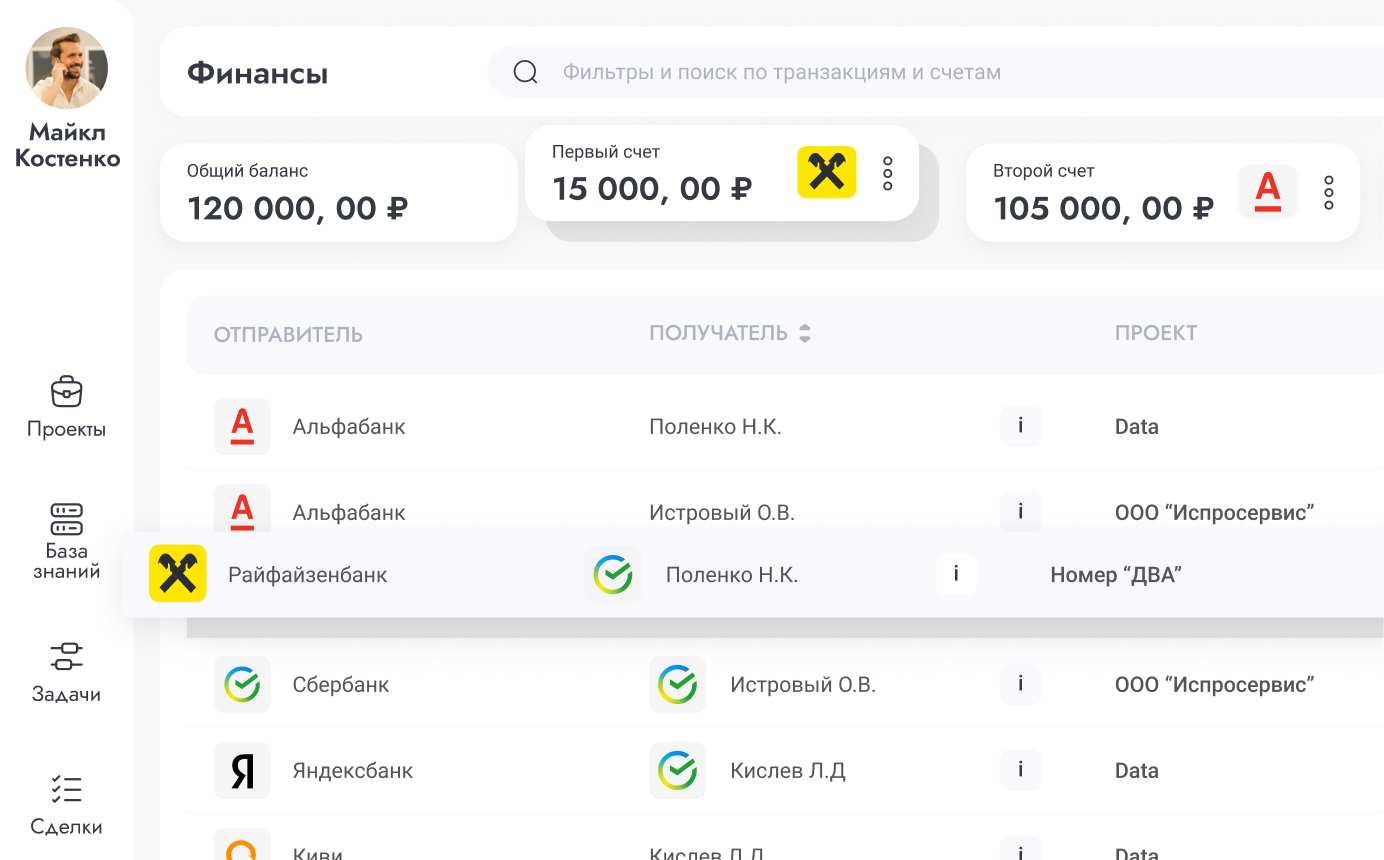
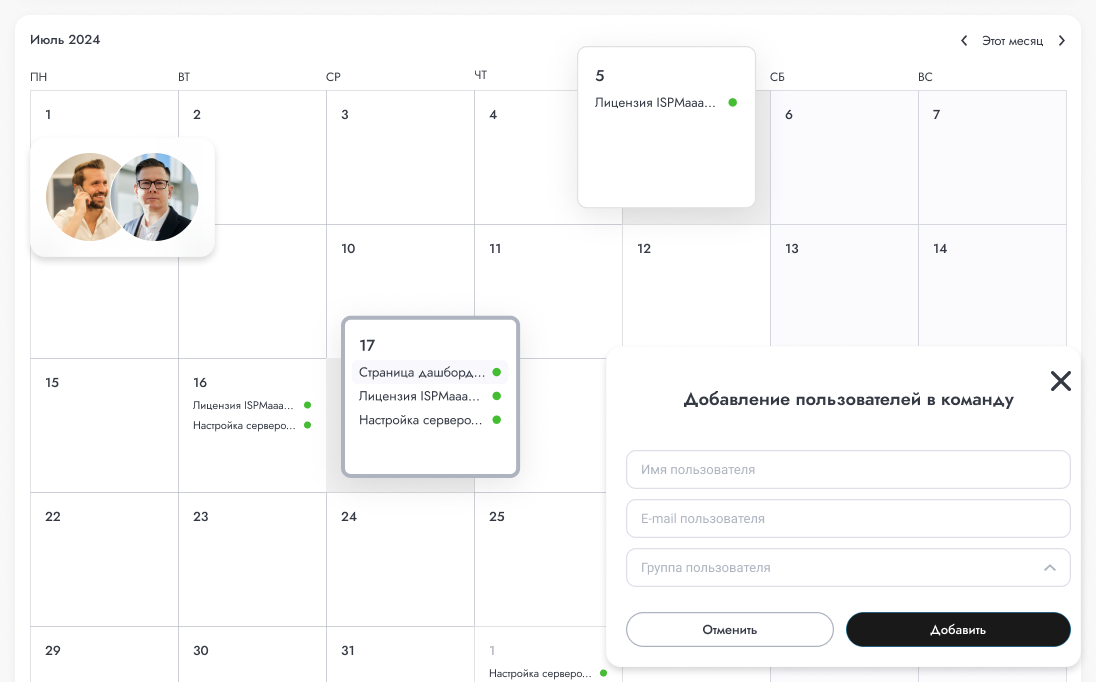

проекты · задачи · финансы
ERP-контур связывает проекты, исполнителей, сроки и денежные движения. Руководитель видит загрузку команды, прогресс работ и экономику проекта без ручных таблиц.
Frequently asked questions
Pricing
Free
Для старта — базовая CRM/ERP и операционный контроль без оплаты
- 1 место (владелец аккаунта)
- 1 проект для старта
- 1 канбан-доска
- Базовая CRM-воронка и задачи
- Финансовый журнал вручную
- До 2 проверок сервисов
- История проверок 7 дней
- 1 страница статуса
- Без приглашения в команду
- Без виджетов Live Chat
- Без серверного агента
Business
Для растущих команд — CRM, проекты, чаты и расширенный мониторинг
- Всё из Free, и ещё:
- До 4 мест в команде
- До 10 проектов
- До 5 канбан-досок
- До 2 виджетов Live Chat на сайт
- Расширенная CRM и командная работа
- Финансы по проектам и категориям
- До 30 проверок, SSL и домены
- 3 страницы статуса
- Серверный агент для 1 сервера
- Доп. место — 490 ₽/мес
Company
Для компаний — больше лимитов, команды и White Label
- Всё из Business, и ещё:
- До 16 мест в команде
- До 50 проектов
- До 20 канбан-досок
- До 10 виджетов Live Chat на сайт
- До 200 проверок сервисов
- 20 страниц статуса и White Label
- История и инциденты 180 дней
- Мониторинг до 10 серверов
- Доп. место — 490 ₽/мес
Команды собирают продажи, проекты и финансы в Uptimo
Вместо отдельных таблиц, чатов и сервисов — единый рабочий кабинет, где видно клиентов, задачи, деньги и поддержку.
Раньше сделки были в таблице, задачи в мессенджере, финансы отдельно. В Uptimo видим весь путь клиента: заявка, договорённости, работа и оплата.
Менеджеры ведут воронку, продакшен забирает задачи на канбан, а руководитель смотрит сводку без ежедневных созвонов “у кого что зависло”.
Подключили чат и почту: обращения перестали теряться. Новые письма сразу становятся диалогами, а команда видит, кто должен ответить клиенту.
Раньше сделки были в таблице, задачи в мессенджере, финансы отдельно. В Uptimo видим весь путь клиента: заявка, договорённости, работа и оплата.
Менеджеры ведут воронку, продакшен забирает задачи на канбан, а руководитель смотрит сводку без ежедневных созвонов “у кого что зависло”.
Подключили чат и почту: обращения перестали теряться. Новые письма сразу становятся диалогами, а команда видит, кто должен ответить клиенту.
Финансовый журнал удобно привязывать к проектам. Стало проще понимать, какие работы прибыльные, а где деньги расходятся по мелочам.
Операционный мониторинг оставили в Uptimo: если падает сайт или API, это видно рядом с клиентскими процессами, а не в отдельном техническом сервисе.
Для небольшой команды важно, что CRM, задачи, чаты и база знаний в одном интерфейсе. Новых сотрудников вводим быстрее, без пачки разных инструментов.
Финансовый журнал удобно привязывать к проектам. Стало проще понимать, какие работы прибыльные, а где деньги расходятся по мелочам.
Операционный мониторинг оставили в Uptimo: если падает сайт или API, это видно рядом с клиентскими процессами, а не в отдельном техническом сервисе.
Для небольшой команды важно, что CRM, задачи, чаты и база знаний в одном интерфейсе. Новых сотрудников вводим быстрее, без пачки разных инструментов.
Запустите CRM/ERP за пару минут
Без контрактов и привязки карты. Создайте проекты, добавьте сделки, задачи и команду — так вы быстро оцените единый контур управления бизнесом.